malice
2c46c9104d
malice
2c46c9104d* feat(region-routing): P1 tagging + region_routes primitive + read/write API + preview launcher - config.py: add Coverage.region_tagging (bool=False); add RegionRouteMatrix dataclass (enabled, cells) above NotificationsConfig; add region_routes field to NotificationsConfig; add explicit hydration branch for region_routes in _dict_to_dataclass mirroring destinations pattern. - coverage_area.py: add MonitoringArea.name (str|None=None, frozen); update areas_from_config to preserve name; refactor inline geom extraction from classify_event_areas into shared _event_geom_json helper; add matching_area_names(geom_json, areas)->list[str] (additive, all named matches, config-order, deduped; gate unchanged); add event_region_names convenience wrapper. - coverage_filter.py: add region_tagging ctor kwarg; stamp event.region/ regions before the gate when region_tagging=True and areas non-empty and not event.regions (never clobbers satpass preset). - pipeline/__init__.py: wire region_tagging into CoverageFilter construction. - notification_routes.py: add GET /notifications/regions (named coverage area names, config-order, deduped); GET /notifications/region-routing (matrix as JSON); POST /notifications/region-routing (explicit RMW — only region_routes changes, toggles/rules/destinations survive). - scripts/preview_dashboard.py: mesh-free launcher — dashboard API only, no mesh connector, no broadcast loop; vite runs separately. All 87 coverage tests pass; 300 total pass; 6 pre-existing failures unchanged (adapter config count mismatch + MeshCore EventType.NEW_CONTACT). * feat(region-routing): manual region x family matrix editor page Adds RegionRoutingMatrix.tsx — a plain editor over the region_routes config primitive. Rows = families (via useFamilies()), cols = regions (from GET /api/notifications/regions). Each cell exposes MT channel (ChannelPicker single + includeDisabled), MC channel name (text input), min_severity select (routine/priority/critical/immediate), and an enabled checkbox. Only cells where MT or MC is set are included in the sparse POST payload. Master enable toggle maps to top-level enabled. MT budget guard warns when more than 7 distinct MT indices are in use. Sticky family column; horizontal scroll for wide region sets. Registers route /region-routing in App.tsx and adds "Region Routing" nav entry (Map icon) under the Meshtastic section in Layout.tsx, immediately after Routing. Co-Authored-By: Claude Sonnet 4.6 <noreply@anthropic.com> * fix(region-routing): regions endpoint reads saved (disk) coverage so routing columns are dynamic without a bot restart; preview reloads config after writes * feat(routing): unify MT/MC routing into per-family cards; region routing as an in-card expand; remove rules/destinations UI + standalone page * refactor(routing): move Meshtastic Routing from /notifications to /meshtastic/routing (mirror /meshcore/routing); redirect legacy path * feat(region-routing): dispatcher honors region_routes matrix (authoritative-on-match, per-region cooldown, per-channel dedup); non-matrix path unchanged Co-Authored-By: Claude Opus 4.8 (1M context) <noreply@anthropic.com> * fix(region-routing): matrix dedup key must match boot-restore 2-tuple form (prevents restart re-broadcast flood); regression test --------- Co-authored-by: Matt Johnson <mj@k7zvx.com> Co-authored-by: Claude Sonnet 4.6 <noreply@anthropic.com>
16 KiB
d3-ease
Easing is a method of distorting time to control apparent motion in animation. It is most commonly used for slow-in, slow-out. By easing time, animated transitions are smoother and exhibit more plausible motion.
The easing types in this module implement the ease method, which takes a normalized time t and returns the corresponding “eased” time tʹ. Both the normalized time and the eased time are typically in the range [0,1], where 0 represents the start of the animation and 1 represents the end; some easing types, such as elastic, may return eased times slightly outside this range. A good easing type should return 0 if t = 0 and 1 if t = 1. See the easing explorer for a visual demonstration.
These easing types are largely based on work by Robert Penner.
Installing
If you use npm, npm install d3-ease. You can also download the latest release on GitHub. For vanilla HTML in modern browsers, import d3-ease from Skypack:
<script type="module">

import {easeCubic} from "https://cdn.skypack.dev/d3-ease@3";

const e = easeCubic(0.25);

</script>
For legacy environments, you can load d3-ease’s UMD bundle from an npm-based CDN such as jsDelivr; a d3 global is exported:
<script src="https://cdn.jsdelivr.net/npm/d3-ease@3"></script>
<script>

const e = d3.easeCubic(0.25);

</script>
API Reference
# ease(t)
Given the specified normalized time t, typically in the range [0,1], returns the “eased” time tʹ, also typically in [0,1]. 0 represents the start of the animation and 1 represents the end. A good implementation returns 0 if t = 0 and 1 if t = 1. See the easing explorer for a visual demonstration. For example, to apply cubic easing:
const te = d3.easeCubic(t);
Similarly, to apply custom elastic easing:
// Before the animation starts, create your easing function.
const customElastic = d3.easeElastic.period(0.4);

// During the animation, apply the easing function.
const te = customElastic(t);
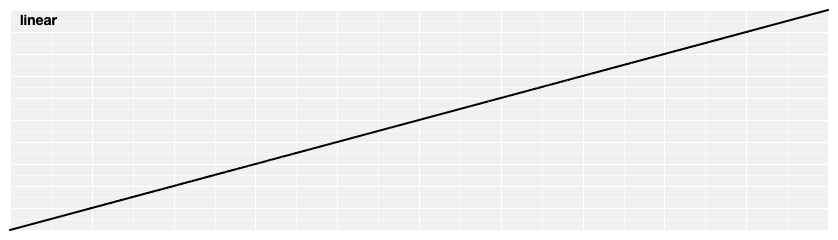
Linear easing; the identity function; linear(t) returns t.
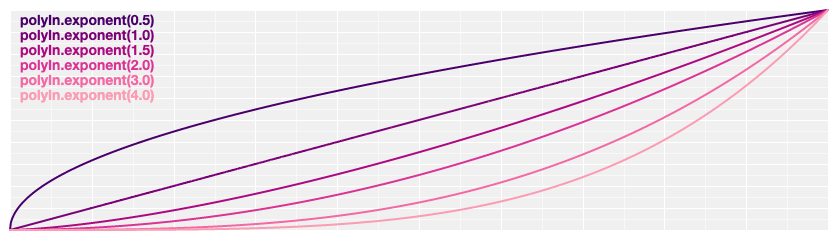
Polynomial easing; raises t to the specified exponent. If the exponent is not specified, it defaults to 3, equivalent to cubicIn.
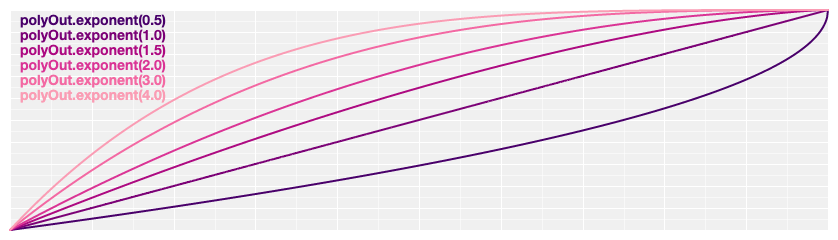
Reverse polynomial easing; equivalent to 1 - polyIn(1 - t). If the exponent is not specified, it defaults to 3, equivalent to cubicOut.
# d3.easePoly(t) <>
# d3.easePolyInOut(t) <>
Symmetric polynomial easing; scales polyIn for t in [0, 0.5] and polyOut for t in [0.5, 1]. If the exponent is not specified, it defaults to 3, equivalent to cubic.
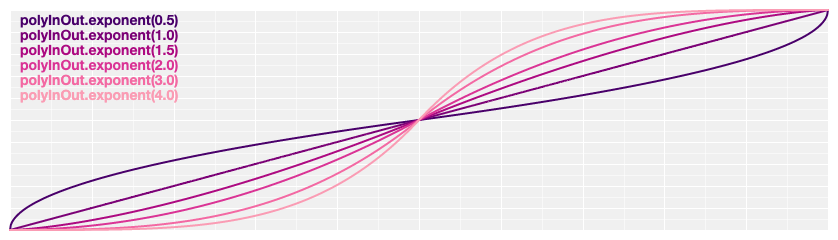
Returns a new polynomial easing with the specified exponent e. For example, to create equivalents of linear, quad, and cubic:
const linear = d3.easePoly.exponent(1);
const quad = d3.easePoly.exponent(2);
const cubic = d3.easePoly.exponent(3);
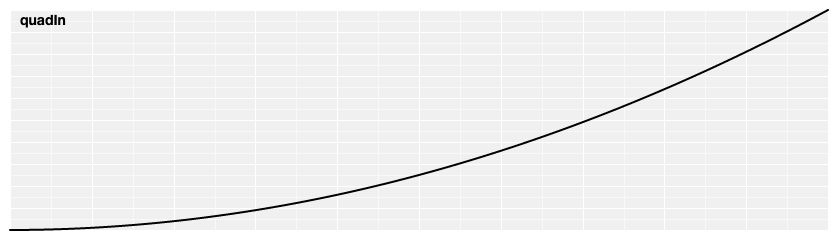
Quadratic easing; equivalent to polyIn.exponent(2).
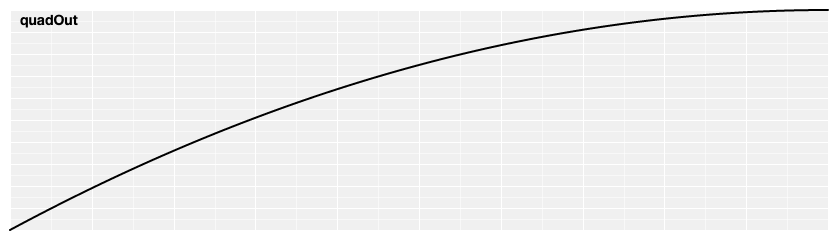
Reverse quadratic easing; equivalent to 1 - quadIn(1 - t). Also equivalent to polyOut.exponent(2).
# d3.easeQuad(t) <>
# d3.easeQuadInOut(t) <>
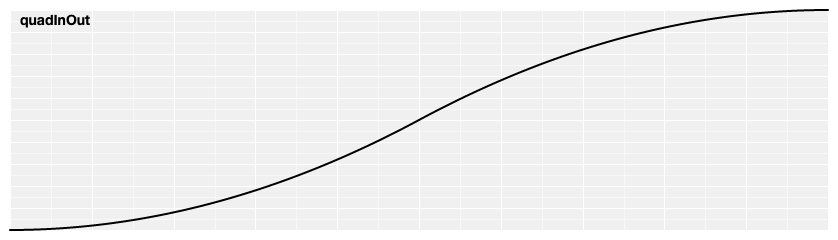
Symmetric quadratic easing; scales quadIn for t in [0, 0.5] and quadOut for t in [0.5, 1]. Also equivalent to poly.exponent(2).
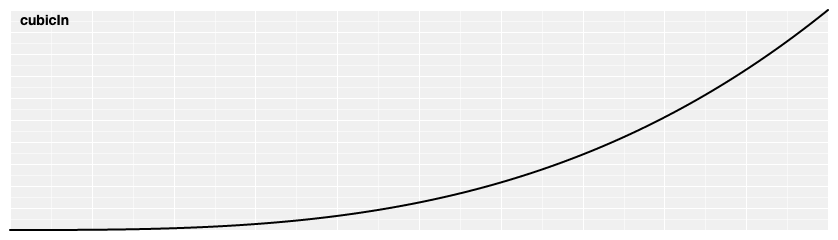
Cubic easing; equivalent to polyIn.exponent(3).
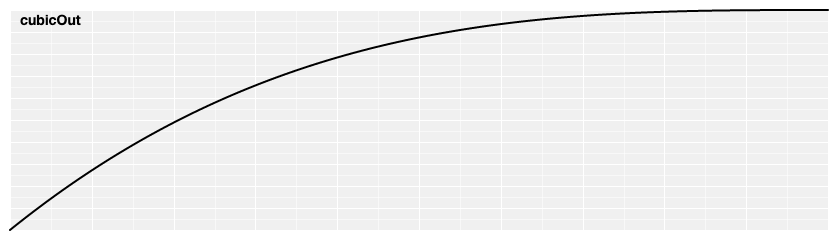
Reverse cubic easing; equivalent to 1 - cubicIn(1 - t). Also equivalent to polyOut.exponent(3).
# d3.easeCubic(t) <>
# d3.easeCubicInOut(t) <>
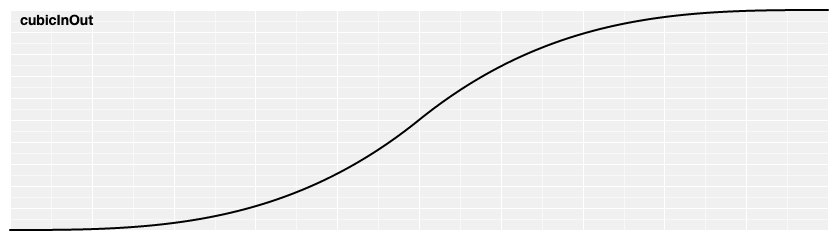
Symmetric cubic easing; scales cubicIn for t in [0, 0.5] and cubicOut for t in [0.5, 1]. Also equivalent to poly.exponent(3).
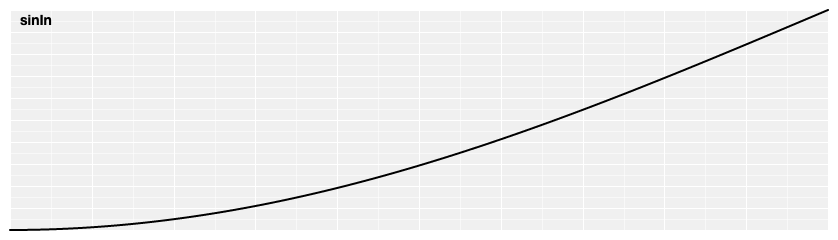
Sinusoidal easing; returns sin(t).
Reverse sinusoidal easing; equivalent to 1 - sinIn(1 - t).
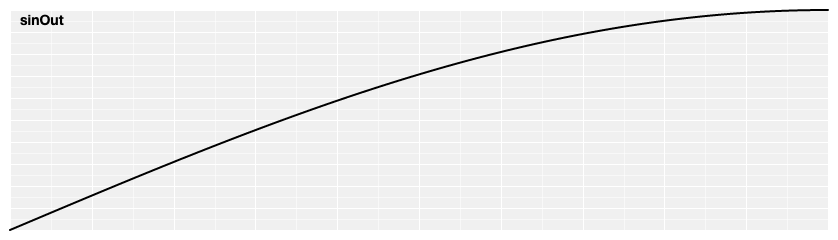
# d3.easeSin(t) <>
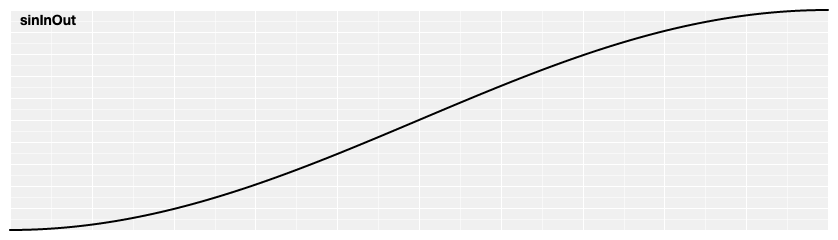
# d3.easeSinInOut(t) <>
Symmetric sinusoidal easing; scales sinIn for t in [0, 0.5] and sinOut for t in [0.5, 1].
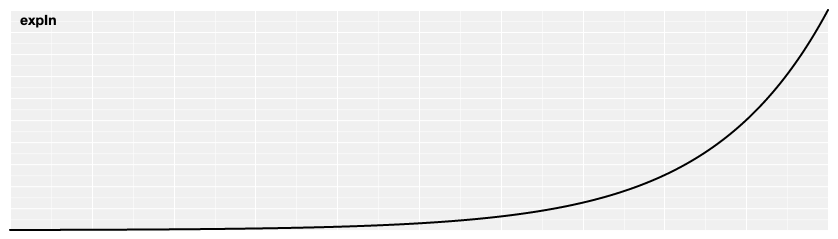
Exponential easing; raises 2 to the exponent 10 * (t - 1).
Reverse exponential easing; equivalent to 1 - expIn(1 - t).
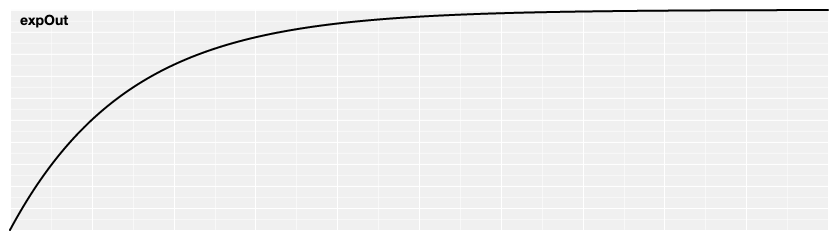
# d3.easeExp(t) <>
# d3.easeExpInOut(t) <>
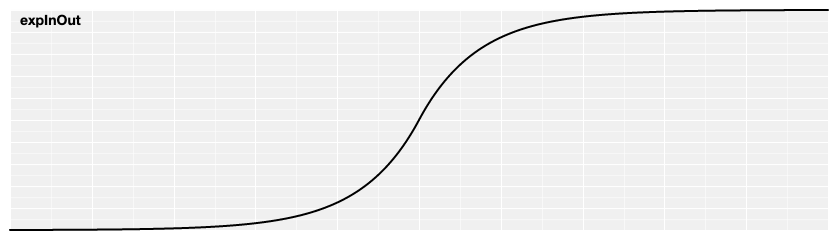
Symmetric exponential easing; scales expIn for t in [0, 0.5] and expOut for t in [0.5, 1].
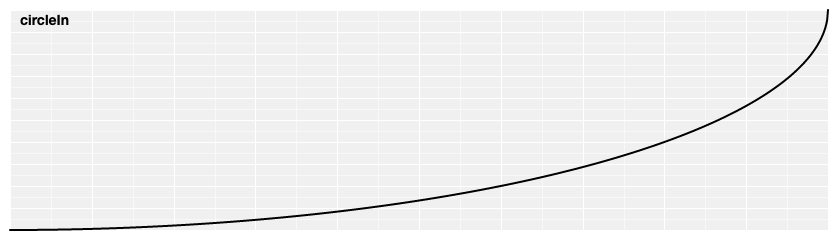
Circular easing.
Reverse circular easing; equivalent to 1 - circleIn(1 - t).
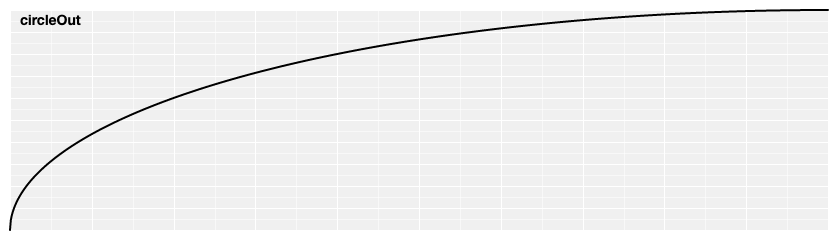
# d3.easeCircle(t) <>
# d3.easeCircleInOut(t) <>
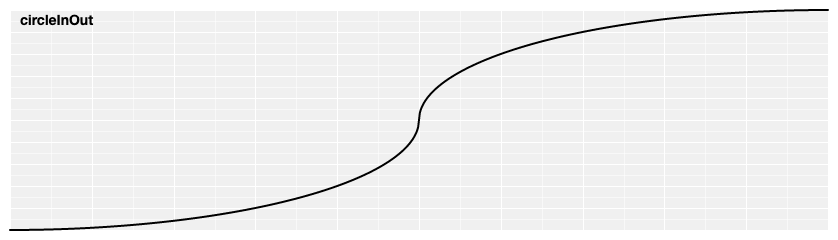
Symmetric circular easing; scales circleIn for t in [0, 0.5] and circleOut for t in [0.5, 1].
Elastic easing, like a rubber band. The amplitude and period of the oscillation are configurable; if not specified, they default to 1 and 0.3, respectively.
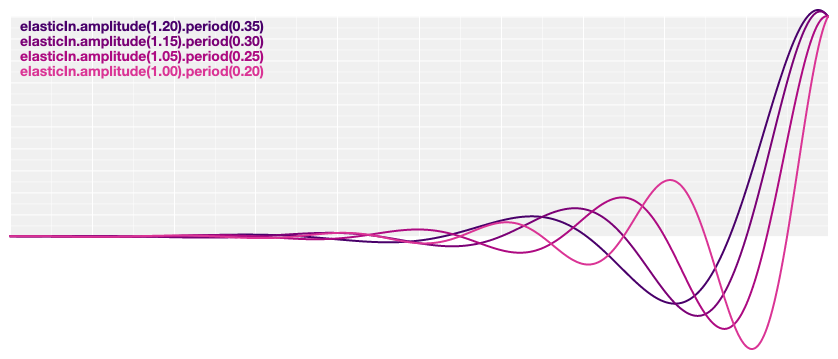
# d3.easeElastic(t) <>
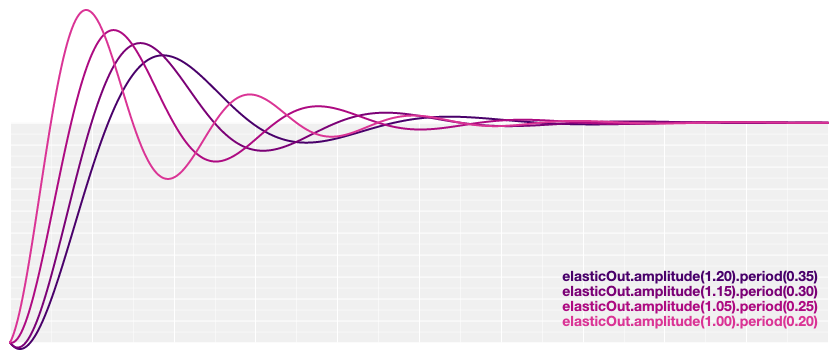
# d3.easeElasticOut(t) <>
Reverse elastic easing; equivalent to 1 - elasticIn(1 - t).
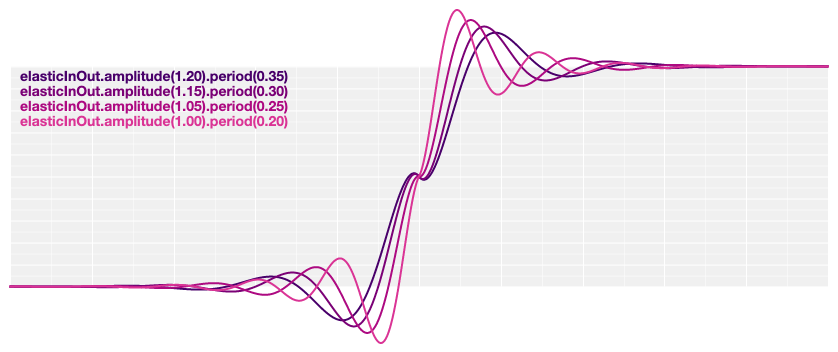
Symmetric elastic easing; scales elasticIn for t in [0, 0.5] and elasticOut for t in [0.5, 1].
Returns a new elastic easing with the specified amplitude a.
Returns a new elastic easing with the specified period p.
Anticipatory easing, like a dancer bending his knees before jumping off the floor. The degree of overshoot is configurable; if not specified, it defaults to 1.70158.
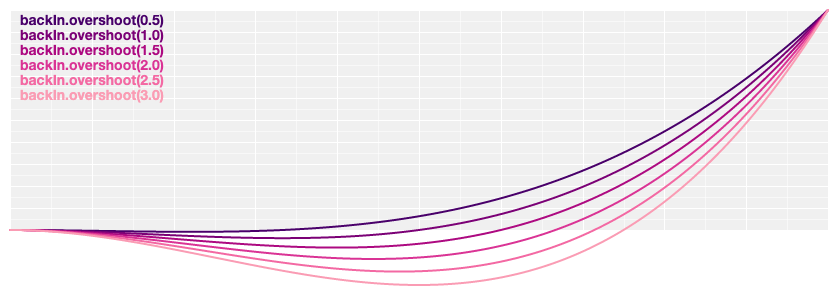
Reverse anticipatory easing; equivalent to 1 - backIn(1 - t).
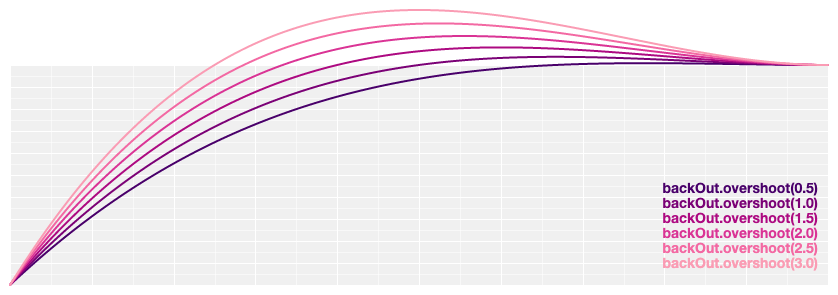
# d3.easeBack(t) <>
# d3.easeBackInOut(t) <>
Symmetric anticipatory easing; scales backIn for t in [0, 0.5] and backOut for t in [0.5, 1].
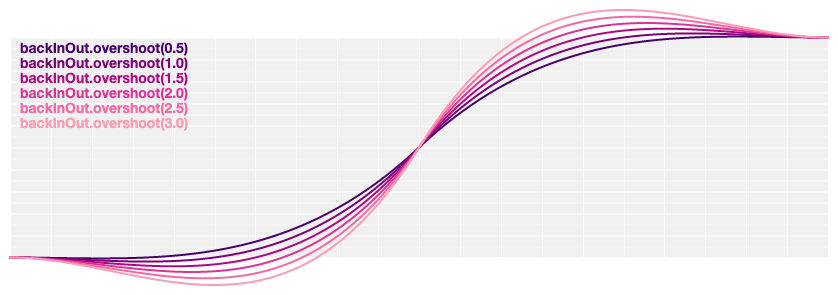
Returns a new back easing with the specified overshoot s.
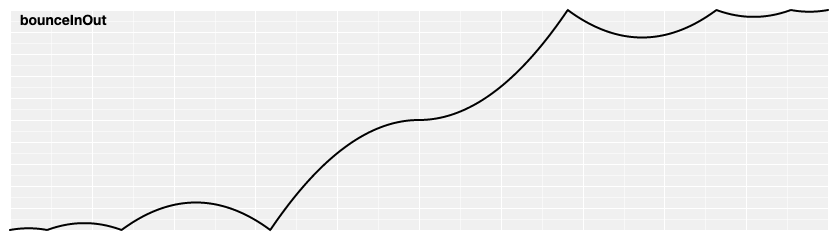
Bounce easing, like a rubber ball.
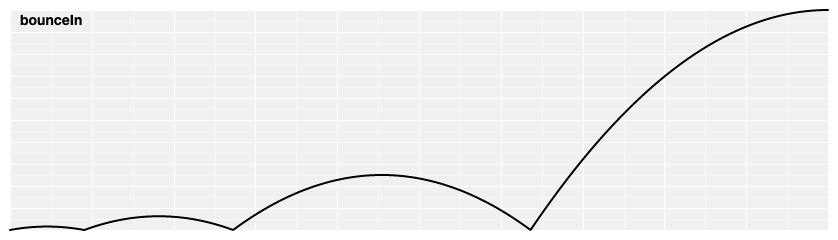
# d3.easeBounce(t) <>
# d3.easeBounceOut(t) <>
Reverse bounce easing; equivalent to 1 - bounceIn(1 - t).
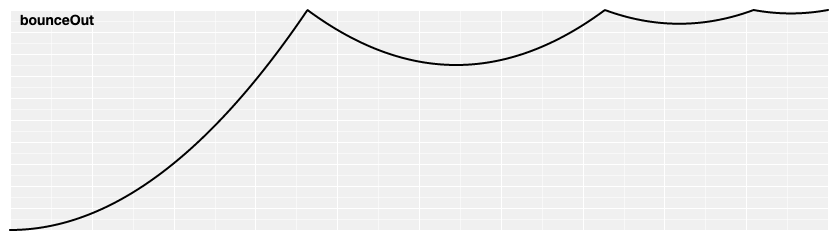
Symmetric bounce easing; scales bounceIn for t in [0, 0.5] and bounceOut for t in [0.5, 1].